

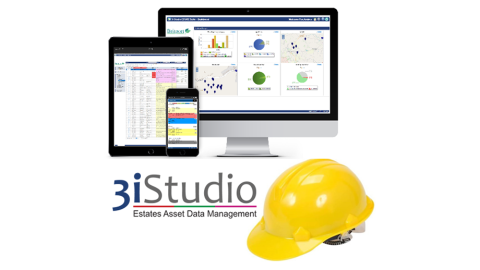
Whatever the size of your estate, number of sites or ages of the buildings you look after, managing estates and buildings maintenance is a time consuming and challenging task. Good maintenance management software makes this task easier and more efficient, and can save you time and money, whilst ensuring nothing is missed.
The following guide from CAFM (Computer Aided Facilities Management) software experts 3i Studio, highlights the main features you should be benefiting from with your building maintenance software. Naturally, if you are starting out with finding a solution, it also provides a handy guide to what you should be looking out for to get the best possible solution for you and your team.
Read on or download the guide here.
MAKES PPM STRAIGHTFORWARD
No matter the buildings ages and construction, all require regular surveys and inspections, as well as planned and preventative maintenance work carried out through the year.
Planned Preventative Maintenance (PPM) tasks, as well as scheduled testing, can be managed simply and easily from within your software, ensuring nothing is missed. You will be able to clearly see what is coming up, schedule in the work, budget and plan well; pro-longing the life of your buildings and assets whilst preventing unplanned failures and unexpected costs.
PPM software nowadays is very user friendly and often includes a traffic light style view of upcoming tasks. This means you can see at a glance what is most urgent, or anything that is overdue.
REDUCE HELPDESK WORKLOAD WITH AN INTERACTIVE ESTATES HELPDESK
Managing fault reporting and work requests can be complex and takes considerable time from your helpdesk. However, a good reactive helpdesk solution can make this simple. Enable your building and estate users to report and track faults and repair requests themselves online in a few easy steps. They will even be able to see real time updates and not have to bother your helpdesk team to keep informed.
SECURE MOBILE ACESS
With secure access to all building information and documentation you, your team and contractors, should be able to work from anywhere with one simple log-in.
SEND ASSIGNMENTS DIRECTLY TO ENGINEERS
Your engineers and contractors can receive their work requests wherever they are, whenever you need them to, enabling them to go directly to a job without having to come into the office.
MONITOR JOB PROGRESS IN REAL TIME
You, your team and your contractors can send and receive data live via mobiles, easily and quickly. With real time updates you can make instant decisions regarding repairs or resources, removing time delays.
You can see job progress updates in real time, so you can monitor what is happening at every stage of works, including the costs and status of each job.
WORK OFFLINE WHERE SIGNALS ARE POOR
The self-contained software should be usable even when engineers are out of range of mobile signals. This is perfect for large estates and buildings where your wireless signal doesn't reach your basement or the far-flung corners of your site. As soon as your engineer come back into a signal area, the software will automatically sync; reporting back on completed jobs, uploading photos and recording the time spent.
AUTOMATICALLY ISSUE THE NEXT JOB TICKET
Once their task is completed, the next urgent job ticket you've allocated for your engineer or contractor will be automatically generated, so they can get on with it straight away. This improves efficiency and prevents engineers’ cherry-picking tasks.
KEEP WORK PROGRESSING
Both your engineers and contractors can request more manpower or resources through the system reducing the need for telephone calls. This helps speed up the process and keep work progressing well.
AVOID COSTLY BREAKDOWNS
By developing a comprehensive maintenance schedule, you can keep on top of all maintenance tasks and avoid breakdowns and costly urgent repairs. Schedule regular tasks within your maintenance management software. Whether they are daily, weekly, monthly or yearly, you set your required frequency.
SCHEDULED TESTING TEMPLATES
Set up your own questionnaire-based forms for the scheduled testing of your assets. You can then be confident that your assets will continue to meet their required criteria. With customisable templates you can test just about anything with your system and track their results easily and simply.
MANAGE CONTRACTORS MORE EASILY
Engage directly with your contractors without the need to send masses of emails. Communicate directly through the software and assign works to your contractors. With comprehensive notes, as well as the ability for your contractor to upload notes and photographs, you can see exactly what is happening at every stage of works.
BUILDING ASSET MANAGEMENT DATABASE
List and monitor standard and bespoke plant and equipment within your software. This will help you to schedule PPM, as well as create a comprehensive asset register for your reporting and management.
GENERATE AND TRACK PURCHASE ORDERS
Save time and energy by managing everything centrally, including generating and tracking work purchase orders. These can be matched with time sheets and completed work orders, to ensure work is signed off and can be paid.
AUDIT AND ACCOUNTABILITY RECORDS
Your maintenance software should store and report all the information you need to satisfy your audit requirements. Reports and dashboard charts for audit and performance monitoring should come as standard, as well as the software enabling you to easily produce your own custom reports at the touch of a button.
ONLINE TIMESHEET SUBMISSION
Receive your engineers’ and contractors’ timesheets directly into your software, providing an accurate time-based cost against their work tickets for reporting and budgeting. This also allows you to view ongoing assignments more regularly, making it easier to spot a project that may go over budget. And of course, you won’t have to chase engineers for their timesheets.
LIVE ACESSS TO PERMITS TO WORK
Instant access even includes permits to work, as well as live access to building plans and documents, removing costly time delays.
MONITOR ENGINEER PERFORMANCE
Manging internal staff and external contractors can be time consuming and challenging, especially when they are out and about working over large sites. Live access to work sheets, and an ongoing record of exactly what has been done by whom, makes performance monitoring and reporting far easier.
STORE AND MANAGE CERTIFICATES
With the ability for your engineers and contractors to upload completion documents and certificates directly into your software, you will no longer have to scan documents to the system, or store paper copies.
SECURE ACCESS YOU CAN CONTROL
You need to have control over what different users (be they engineers, contractors, building users, colleagues, and stakeholders) can access within your software. Multi-level security enables you to decide who has access to what information at any given time.
WOULD YOU LIKE FURTHER ADVICE?
As CAFM experts, with over 30 years’ experience, 3i Studio Ltd will be delighted to share advice and can even provide you with an online demonstration of their CAFM modules. Get in touch today via email cafm@3istudio.com or our website www.3istudio.com
LinkedIn:
www.linkedin.com/company/3i-studio-ltd/